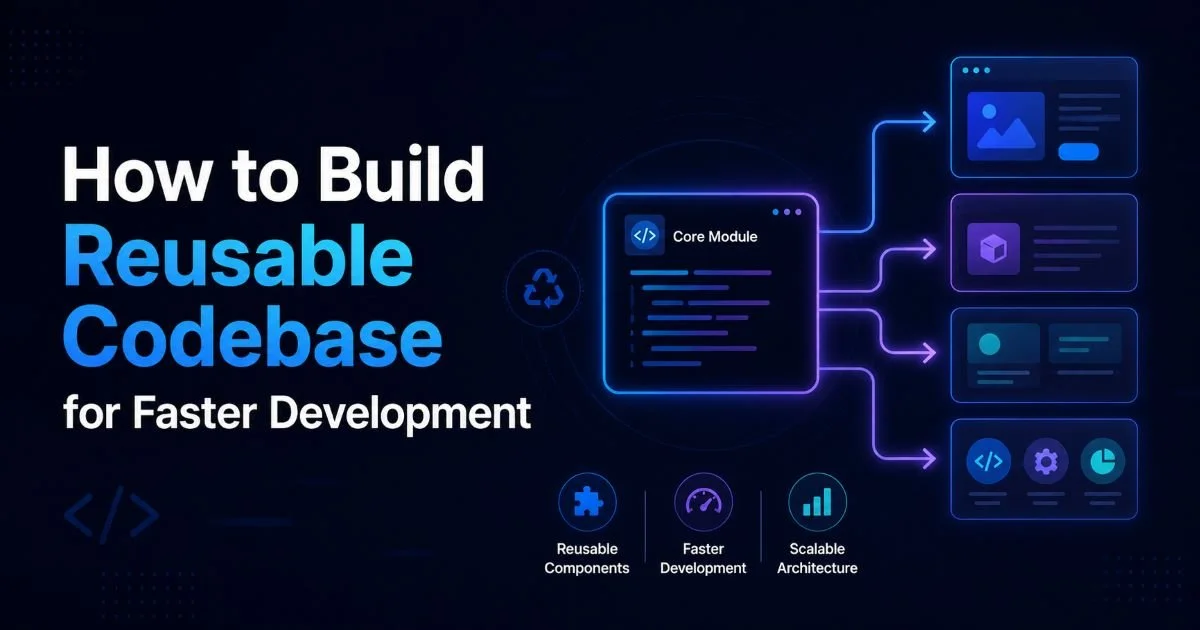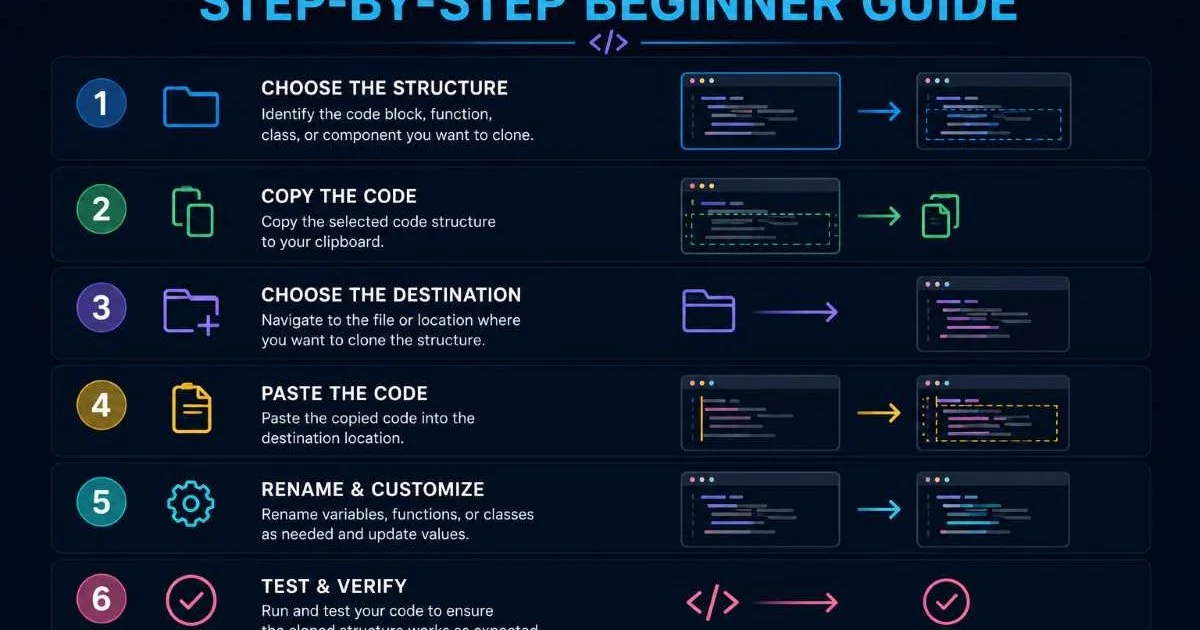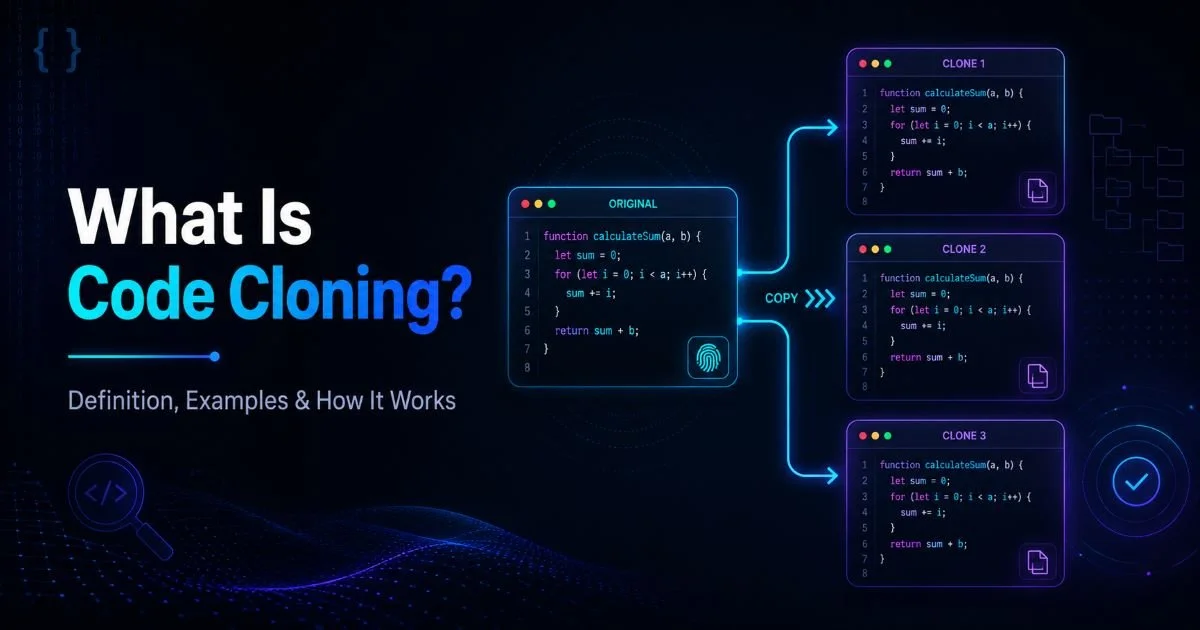
To clone code structures is to duplicate an existing codebase, template, or architectural pattern so you can reuse it as the foundation for a new project. This practice sits at the heart of modern software development, where speed, consistency, and reproducibility matter more than ever. Whether you're spinning up a microservice, prototyping a weekend hack, or onboarding a new team member, the ability to clone code structures means you skip the tedious setup phase and jump straight into meaningful work.
Developers who master this workflow consistently ship faster, maintain higher quality standards, and avoid reinventing the wheel on every new initiative. The concept applies across languages, frameworks, and team sizes, from solo freelancers to enterprise engineering departments. Still, many developers underuse or misunderstand the practice. This article defines it clearly, explains how it works under the hood, and shows you when and why it pays off.
Key Takeaways
- Cloning code structures lets you replicate proven project foundations in seconds, not hours.
- Project scaffolding tools automate folder creation, config files, and dependency installation automatically.
- Reusable boilerplate reduces human error and enforces consistency across multiple projects.
- Templates differ from clones; understanding the distinction prevents common workflow mistakes.
- Ethical reuse requires respecting licenses, attribution, and the ACM Code of Ethics.

How Cloning Code Structures Works
Repository Cloning
At the most fundamental level, cloning code structures involves copying an entire repository, including its file hierarchy, configuration, and version history. Git is the dominant tool here. Running git clone against a remote URL pulls down every file and commit, giving you a complete local copy in seconds. This differs from downloading a ZIP file because you retain the full version control graph, which means you can trace changes, revert mistakes, and eventually push your own modifications upstream.
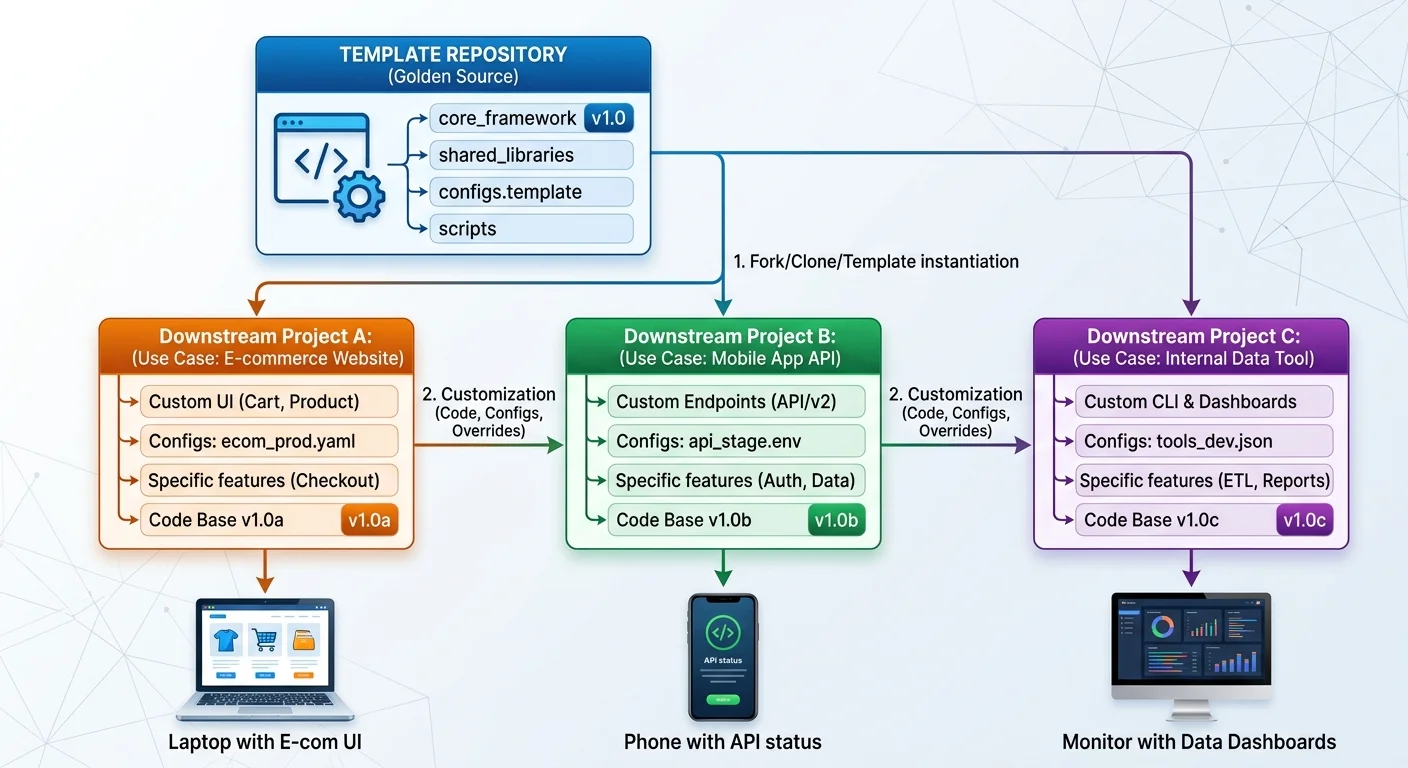
GitHub's template repository feature takes this a step further. When you mark a repo as a template, other developers can generate a fresh repository from it without inheriting the original commit history. This is ideal for reusable boilerplate scenarios where you want a clean slate. The new repo starts at commit zero but contains all the structural decisions, dependency declarations, and configuration files that the template author established. Many open-source starter kits, from Next.js templates to Django cookiecutters, use this approach.
Beyond public platforms, enterprise teams often maintain internal template repositories on GitLab or Bitbucket. These private templates encode company-specific conventions: approved linting rules, CI/CD pipeline definitions, security scanning configs, and required folder layouts. A new hire can clone code structures from the internal registry and immediately have a project that passes all compliance checks. The setup that once took days now takes minutes.
Scaffolding and Generators
Project scaffolding tools like Yeoman, Create React App, and the Angular CLI generate project structures programmatically rather than copying a static snapshot. You answer a few prompts (project name, preferred CSS preprocessor, testing framework), and the generator assembles files accordingly. This approach suits situations where the output structure varies based on choices. Scaffolding tools are dynamic templates; they interpolate variables and conditionally include modules, making them more flexible than a plain git clone.
The key difference is interactivity. A generator can ask whether you need TypeScript support, then conditionally wire up tsconfig.json and type declaration files. A cloned repository, by contrast, includes everything or nothing. Both methods aim to speed up development, but scaffolding generators excel when the team needs many permutations of a base architecture. Many teams combine both: they maintain a template repo that a generator script customizes at clone time.
If your boilerplate changes frequently, prefer a generator over a static template so updates propagate automatically.
Why It Matters: Use Cases
Prototyping at Speed
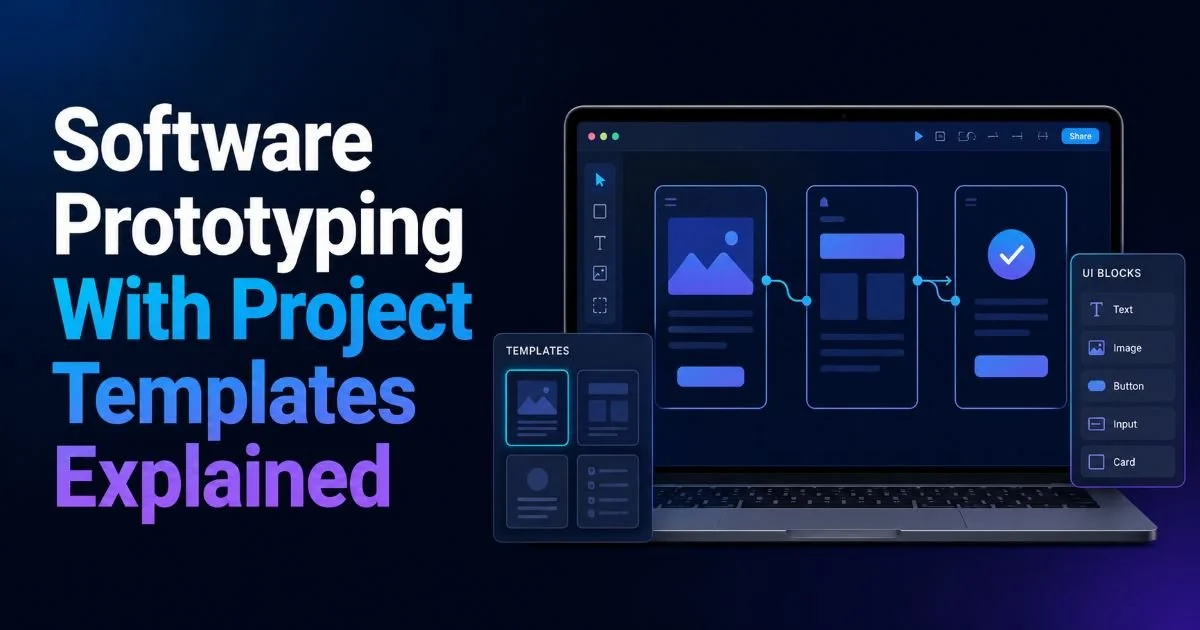
When you need a working prototype within hours, spending forty minutes on Webpack configuration is a poor use of time. Cloning a pre-configured starter project gives you a running application in under a minute. You immediately validate business logic, test API integrations, or build a demo for stakeholder feedback. Rapid prototyping is one of the strongest arguments for maintaining well-documented code templates. Hackathon winners almost universally rely on prepared boilerplate to maximize their limited building time.
Consider a freelancer pitching a dashboard concept to a client. Instead of configuring authentication, routing, and state management from scratch, they clone a SaaS starter kit, swap in the client's branding, and wire up a mock API. The result looks polished, runs correctly, and took a fraction of the expected effort. Choosing the right editor matters here too; a comparison of Visual Studio Code vs. PyCharm shows how IDE features like integrated terminals and project templates further accelerate this workflow.
Team Standardization
In larger organizations, consistency across repositories reduces cognitive overhead. When every microservice follows the same folder structure, uses the same logging library, and ships with the same Dockerfile, engineers can switch between projects without a steep ramp-up period. Maintaining a canonical template to replicate project setup ensures that organizational standards propagate automatically. New services inherit approved patterns rather than ad hoc decisions made under deadline pressure.
Standardization also improves code review quality. Reviewers know where to find configuration, where tests live, and which patterns to expect. When a project deviates from the template, that deviation is visible and intentional rather than accidental. Companies like Spotify, Shopify, and Stripe have publicly discussed their internal developer platforms, which centralize project creation around curated templates. These platforms treat project scaffolding as infrastructure, not an afterthought.
"The fastest way to enforce architectural standards is to make the right structure the default starting point."
Common Misconceptions
One widespread myth is that cloning a repository means you're copying someone else's work in an unethical way. In reality, the open-source ecosystem actively encourages reuse. Licenses like MIT, Apache 2.0, and BSD explicitly grant permission to copy, modify, and distribute code. The ethical boundary lies in attribution and license compliance, not in the act of cloning itself. Following the ACM Code of Ethics provides a solid framework for responsible reuse, particularly regarding intellectual property and proper credit.
Another misconception is that cloned projects are inherently outdated. Developers assume that once they clone code structures, the result is a frozen snapshot that immediately falls behind. This is only true if you treat the clone as a one-time event. Smart teams set up upstream tracking, so when the template repository receives security patches or dependency upgrades, downstream projects can pull those changes. Tools like Dependabot and Renovate automate dependency freshness across cloned repositories.
A third misunderstanding conflates cloning with lack of originality. Some junior developers feel that using a template somehow diminishes their skills. The opposite is true. Knowing which structure to start from, understanding why specific configurations exist, and being able to customize the scaffold effectively all require real expertise. A template handles the undifferentiated heavy lifting so the developer can focus on the unique business logic that actually matters.
Always check the license of any repository before cloning it into a commercial project. MIT and Apache 2.0 are permissive, but GPL has copyleft requirements.
Finally, some teams over-template. They create rigid starters that cover every possible use case, resulting in bloated boilerplate filled with code nobody needs for any single project. A good template is minimal: it includes what every project definitely needs and nothing more. Optional features should live in documented extensions or generator flags, not in the base clone. Less is more when you design reusable boilerplate.
Audit your templates quarterly. Remove deprecated dependencies and update configurations to reflect current best practices.
Related Concepts and How They Differ
Forks vs. Clones vs. Templates
Forking, cloning, and templating overlap but serve distinct purposes. A fork creates a copy of a repository under your own account on a hosting platform, maintaining a link to the original for pull request workflows. A clone downloads that repository to your local machine. A template generates a new, unlinked repository from a blueprint. Developers often fork to contribute back, clone to work locally, and template to start independent projects. Understanding these distinctions prevents workflow confusion.
| Method | Retains History | Linked to Original | Best For |
|---|---|---|---|
| Git Clone | Yes | Yes (remote) | Local development |
| Git Fork | Yes | Yes (upstream) | Open-source contributions |
| Template Repo | No | No | New independent projects |
| Scaffolding CLI | No | No | Configurable project creation |
| Copy/Paste | No | No | Quick experiments only |
Choosing the Right Tool
Your choice depends on the relationship you want with the source. If you plan to pull future updates from the original author, a fork or clone with remote tracking is appropriate. If you want a clean break, a template or scaffolding tool works better. Many teams at the Code Replicator blog have discussed hybrid approaches where an internal CLI wraps git clone with post-processing scripts that strip history and customize placeholder values. This gives the speed of cloning with the cleanliness of templating.
The ecosystem keeps improving. GitHub Codespaces and Gitpod let you clone code structures into cloud-based development environments, so you don't even need a local setup. You click a button, wait thirty seconds, and have a fully configured IDE running in your browser with dependencies already installed. For prototypers evaluating frameworks or libraries, this removes yet another barrier. The days of spending an afternoon on environment setup are rapidly disappearing.
Combine template repositories with devcontainer configurations to give every clone a reproducible, containerized development environment.
Ultimately, the tooling matters less than the habit. Whether you use git clone, npx create-next-app, or a custom internal platform, the principle is identical: capture proven patterns in a reusable format and replicate them on demand. The specifics will evolve with new tools and platforms, but the practice of intentionally designing, maintaining, and distributing code templates is a permanent fixture of professional software engineering.
Frequently Asked Questions
?How do I use a GitHub template repo to clone code structures?
?What's the difference between a fork, a clone, and a template repo?
?How much time does cloning code structures actually save on setup?
?What's the biggest mistake developers make when reusing cloned code structures?
Final Thoughts
The ability to clone code structures is not a shortcut; it is a discipline. It requires thoughtful template design, regular maintenance, and clear documentation.
Teams that invest in high-quality project scaffolding recoup that investment many times over through faster onboarding, fewer configuration errors, and consistent codebases. Start small: pick one project type you build repeatedly, extract a clean template, and share it with your team. That single action will permanently speed up development across your organization.
Disclaimer: Portions of this content may have been generated using AI tools to enhance clarity and brevity. While reviewed by a human, independent verification is encouraged.